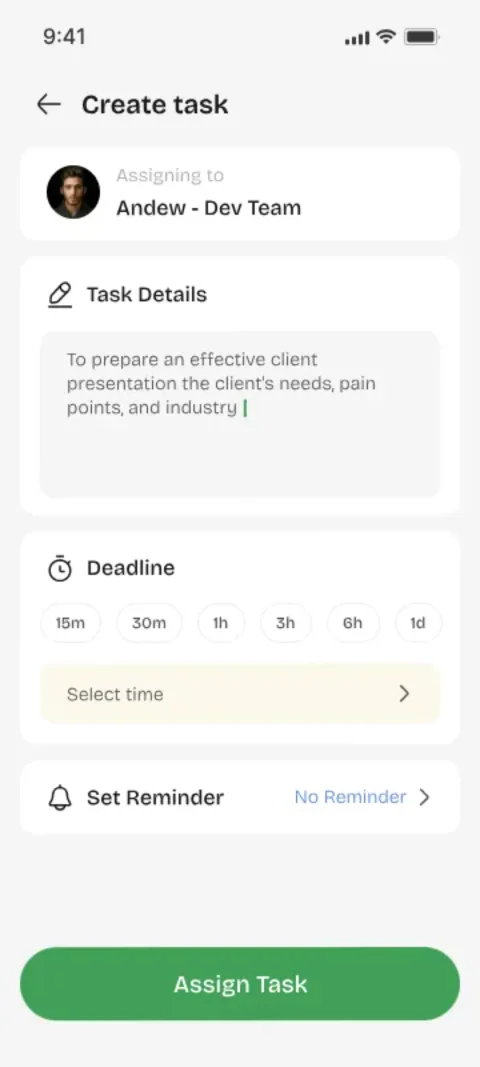
Day 1: Assign Your First Task
Don't migrate old lists. Just assign one real task to one real person and watch the request-accept-complete cycle happen. The goal is to feel the system, not to organize everything.
Days 2–3: Make It a Habit
Assign every new commitment through Youliable instead of chat. Even the small ones — that's how the habit forms and where the real value shows up.
Days 4–5: Use Reminders and History
Set reminders on time-sensitive tasks and check the history tab once to see the audit trail form. These two features are what turn a task list into an accountability system.
Days 6–7: Review and Refine
Look at what worked: which tasks got done fast? Which stalled? Adjust how you write titles and set deadlines. Most users find two minutes a day is all it takes to stay on top of everything.
Common Mistakes to Avoid
Don't assign every historical task at once — you'll overwhelm the other person. Don't skip the due date. And don't use chat for tasks you've already created in the app; keep the record in one place.
Key Takeaways
- Start with one real task, not a migration project.
- Route new commitments through the app daily.
- Reminders and history unlock the real value.
- Review weekly and keep it to two minutes a day.
Focus Keywords
Try It for Free in Two Minutes
Assign your first task, watch it get accepted and done — and feel how good real accountability is.