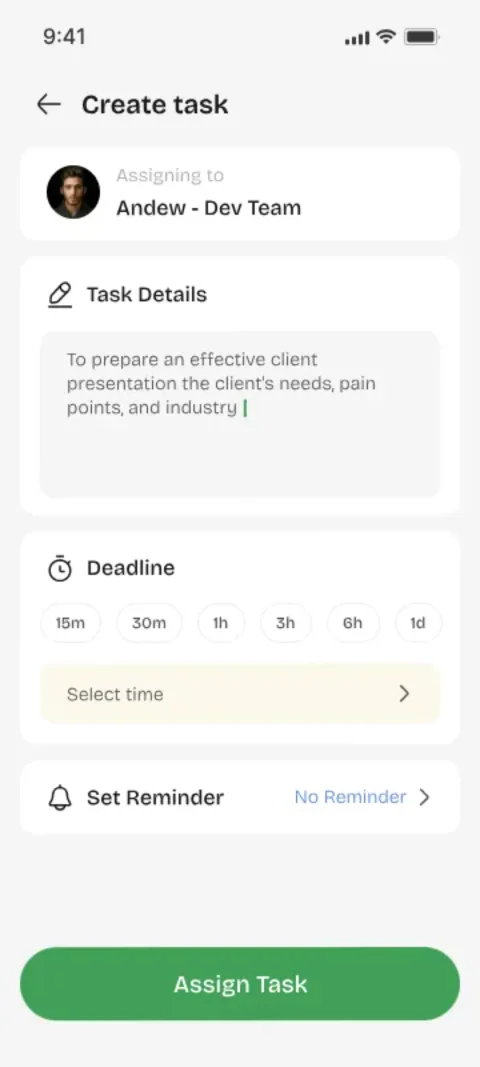
Assignment Should Be a Single Action
The entire point of task assignment software is to make delegation a one-step action: title, person, done. If assignment requires navigating menus or configuring fields, you'll keep doing it in your head instead.
Acceptance Is the Contract
When the assignee accepts the task, both sides share a clear understanding of what's expected. Youliable makes this explicit with an accept/decline request — no silent assumptions.
Tracking Happens Automatically
You don't 'track' tasks in Youliable so much as let the app track them for you. Status changes, timestamps, and history accumulate without any extra work from either person.
Keep It Human
A task tracker should feel like a cleaner version of real conversation, not a corporate system. That's the design philosophy behind every screen in Youliable.
Key Takeaways
- Delegation should take seconds, not clicks.
- Acceptance turns a task into a commitment.
- Automatic history means zero manual tracking.
- Simple tools get used; complex ones get abandoned.
Focus Keywords
Try It for Free in Two Minutes
Assign your first task, watch it get accepted and done — and feel how good real accountability is.