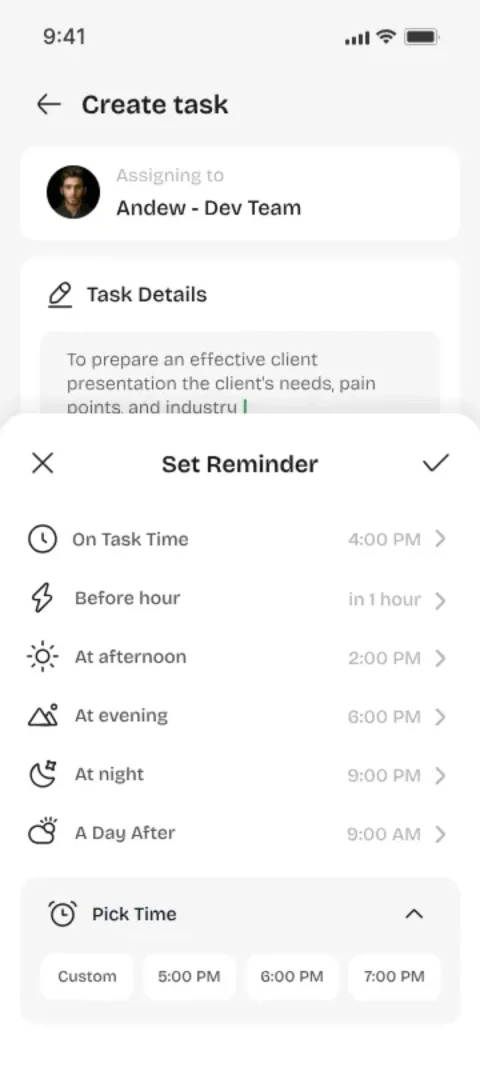
Set the Reminder When You Set the Task
The best time to add a reminder is the moment you create the task, while the deadline is fresh. A task with a reminder is a promise with a guardrail.
Use the Full-Screen Alarm for Critical Work
For tasks that genuinely can't slip, the full-screen alarm is your friend. It's designed to be impossible to ignore, which is exactly what a critical deadline deserves.
Remind Both Sides
Youliable alerts the assignee and the assigner, so a deadline can't pass silently. The person who assigned the task is also reminded — shared deadlines stay shared.
A Simple Habit That Compounds
Set reminders for 24 hours before and at the deadline. Over a month, that tiny habit prevents the small slips that erode trust and delay projects.
Key Takeaways
- Attach reminders at task creation time.
- Use full-screen alarms for critical work.
- Both sides get reminded — no silent slips.
- Small reminder habits compound quickly.
Focus Keywords
task remindersnever miss a deadlinetask alarmdeadline reminder app
Try It for Free in Two Minutes
Assign your first task, watch it get accepted and done — and feel how good real accountability is.